Client Management System Explained: Explore CRM, Client Data, Interactions & Workflow Management
Managing client information becomes increasingly complex as organizations grow. Names, contact details, communications, meetings, documents, tasks, account records, and historical interactions can quickly become scattered across spreadsheets, emails, documents, and separate applications.
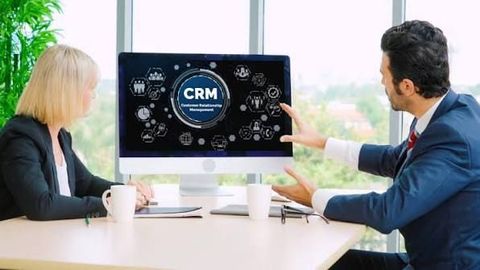
A client management system provides a structured digital environment for organizing this information. Customer Relationship Management, commonly known as CRM, is one of the most widely used approaches to client management.
Modern client management systems can support much more than contact storage. They may connect client records with communication history, tasks, workflows, documents, customer support, reporting, analytics, and other business applications.
What Is a Client Management System?
A client management system is a software platform designed to organize information and activities associated with clients or customers.
Depending on the organization and platform, it can maintain:
- Client contact information
- Company and account details
- Communication history
- Meetings and appointments
- Tasks and reminders
- Notes
- Documents
- Support interactions
- Account activities
- Workflow information
- Reports and analytics
The central purpose is to create a more organized and accessible record of client-related information.
Instead of maintaining separate records in multiple locations, authorized users can work with connected information through a centralized system.
How Does a Client Management System Work?
A typical system connects client information with related activities.
For example:
Client → Account → Contacts → Interactions → Tasks → Documents → Activities
When a user creates or updates a client record, related information can be connected to that record.
A simple workflow could look like:
- Create a client record.
- Add contact information.
- Associate the client with an organization or account.
- Record communications and meetings.
- Create related tasks.
- Attach relevant documents.
- Track ongoing activities.
- Generate reports from accumulated information.
The exact workflow depends on how the system is configured.
Client Management System vs CRM
The terms client management system and CRM are often used interchangeably, although their scope can differ.
A basic client management system may primarily focus on contact information, communication records, tasks, and account information.
CRM platforms generally provide broader capabilities, including:
- Contact management
- Account management
- Interaction tracking
- Workflow automation
- Reporting
- Customer support
- Marketing coordination
- Business activity management
- Integrations
Therefore, CRM can be considered a broader category of technology that often includes client management functionality.
Importance of Client Data Management
Client data is one of the most important components of a client management system.
Without a consistent structure, organizations may encounter:
- Duplicate records
- Outdated contact information
- Missing information
- Inconsistent names
- Disconnected communication records
- Difficulties locating documents
A centralized data structure can make information easier to maintain.
Data-management practices should include clear rules for creating, updating, reviewing, and removing records.
Contact Management
Contact management is the foundation of many client management systems.
A contact record can contain information such as:
- Full name
- Email address
- Telephone number
- Organization
- Professional role
- Location
- Account association
- Communication preferences
- Notes
Users can typically search and filter contacts using predefined fields.
Custom fields may also be available for organizations with specialized requirements.
Account Management
An account usually represents an organization, business relationship, or broader client entity.
An account can contain multiple contacts and related activities.
For example:
Company Account
- Primary contact
- Finance contact
- Technical contact
- Communication history
- Documents
- Tasks
- Support cases
- Account activities
This structure is particularly useful when multiple people from the same organization interact with different departments.
Client Interaction Management
Interaction management records communications and activities involving clients.
Common interaction types include:
- Emails
- Meetings
- Telephone calls
- Notes
- Messages
- Support conversations
- Appointments
Maintaining interaction history can help authorized users understand previous communication without depending entirely on individual employees' records.
Communication History
Communication history provides a chronological view of relevant client interactions.
For example:
| Date | Interaction | Status |
|---|---|---|
| March 5 | Completed | |
| March 8 | Meeting | Completed |
| March 12 | Follow-up | Pending |
| March 15 | Document exchange | Completed |
A chronological record can make it easier to understand the progression of a client relationship.
Task and Activity Management
Client management systems often include task-management capabilities.
Tasks may include:
- Follow-up activities
- Meeting preparation
- Document review
- Internal coordination
- Account updates
- Support activities
- Scheduled communications
Tasks can be assigned to authorized users and associated with particular client records.
Workflow Management
Workflow management defines how activities move through a system.
For example:
New Client → Information Verification → Assigned Team → Active Account → Review → Completed Activity
Workflows can include rules that automatically create tasks, update statuses, or notify users.
Well-designed workflows can reduce repetitive administrative work while creating consistent processes.
Workflow Automation
Automation allows predefined actions to occur when certain conditions are met.
Examples include:
- Creating a task when a record changes status
- Sending an internal notification
- Updating a client record
- Assigning an activity
- Generating reminders
- Moving records between workflow stages
Automation should be tested carefully because an incorrect rule can affect many records at once.
Client Segmentation
Client segmentation involves organizing client records into groups according to relevant characteristics.
Possible categories include:
- Industry
- Organization size
- Geographic region
- Account type
- Relationship stage
- Activity level
- Communication preferences
Segmentation can make reporting and workflow organization easier.
Organizations should use appropriate data-governance practices when creating segments involving personal information.
Client Notes
Notes provide a place to record information that may not fit into standardized fields.
Examples include:
- Meeting notes
- Internal observations
- Project updates
- Communication summaries
- Account-related information
Because notes can contain sensitive or confidential information, access permissions should be carefully controlled.
Document Management
Many client management systems allow documents to be associated with client or account records.
Documents may include:
- Agreements
- Project documents
- Reports
- Correspondence
- Account records
- Meeting documents
Document management can reduce the need to search through separate folders when information is linked directly to a client record.
Organizations should establish appropriate document-retention and access policies.
Calendar Integration
Calendar integration connects client activities with scheduling systems.
It can help manage:
- Meetings
- Appointments
- Reminders
- Follow-up activities
- Team schedules
A calendar event may be linked to a specific client record so that users can review the related context.
Customer Support and Case Management
Client management systems may also include customer-support features.
Support functionality can include:
- Case creation
- Issue classification
- Priority fields
- Assignment
- Status tracking
- Communication history
- Resolution records
Connecting support cases with client records can provide a broader view of previous interactions.
Reporting and Dashboards
Reporting tools transform stored information into structured summaries.
Common reports can include:
- Active client accounts
- Recent interactions
- Open tasks
- Upcoming meetings
- Support cases
- Account activity
- Data-quality indicators
- Communication activity
Dashboards can present important information in charts, tables, and summary indicators.
Client Data Analytics
Analytics can help organizations identify patterns within client information.
Examples include:
- Changes in account activity
- Communication frequency
- Support volumes
- Task completion
- Record completeness
- Account trends
Analytics becomes more useful when information is accurate, consistently categorized, and collected over an appropriate period.
Client Management and Automation
Automation can connect different parts of the client-management process.
A possible automated workflow could be:
New Record → Data Validation → Assignment → Task Creation → Notification → Activity Tracking
This type of workflow can reduce repetitive administrative steps.
However, automation should complement appropriate human oversight rather than replacing review in every situation.
Cloud-Based Client Management Systems
Cloud-based systems operate using infrastructure hosted by a cloud provider.
Common characteristics include:
- Browser-based access
- Centralized information
- Remote accessibility
- Cloud integrations
- Managed infrastructure
Cloud systems can be useful for organizations with distributed teams, although access controls and security policies remain important.
On-Premises Client Management Systems
On-premises systems operate on infrastructure managed by the organization.
Potential characteristics include:
- Greater infrastructure control
- Organization-managed servers
- Internal network configuration
- Customized security environments
The organization is also responsible for areas such as infrastructure maintenance, backups, updates, and system availability.
Hybrid Client Management
Hybrid architectures combine local and cloud-based systems.
For example, an organization may retain an internal database while connecting it with a cloud-based CRM or analytics platform.
Hybrid systems can be useful when organizations need to integrate modern applications with existing infrastructure.
CRM Integrations
A client management system may connect with other business applications.
Common integrations include:
- Email platforms
- Calendar applications
- Accounting software
- Customer-support systems
- Website forms
- Marketing platforms
- Cloud storage
- ERP systems
- Analytics platforms
- Communication applications
APIs are commonly used to exchange information between these systems.
APIs and Client Management
An Application Programming Interface allows different software systems to communicate using defined rules.
For example:
Website Form → API → Client Management System → Client Record
Another workflow might be:
Client Management System → API → Analytics Platform
API-based integration can reduce repetitive data entry and support connected business processes.
Access permissions should ensure that systems exchange only the information required for legitimate purposes.
Data Quality Management
High-quality information is essential for a reliable client management system.
Common data-quality problems include:
- Duplicate contacts
- Incorrect email addresses
- Outdated telephone numbers
- Missing fields
- Inconsistent company names
- Incorrect classifications
Organizations can establish data-quality procedures such as:
- Required fields
- Validation rules
- Duplicate detection
- Standardized formats
- Regular data reviews
- Record ownership
Duplicate Record Management
Duplicate records can appear when multiple users create the same contact or when information is imported from different systems.
For example:
John Smith — ABC Technologies
and
J. Smith — ABC Technology Pvt. Ltd.
may potentially represent the same person or organization.
Duplicate-management tools can identify possible matches, while human review may be required before records are merged.
Client Data Security
Client management systems can contain personal, business, and confidential information.
Security measures may include:
- Authentication
- Multi-factor authentication
- Role-based access
- Encryption
- Activity logging
- Network security
- Backup procedures
- Access monitoring
Security should be considered during system design rather than added only after deployment.
Role-Based Access Control
Role-Based Access Control, or RBAC, assigns permissions according to user roles.
For example:
- Administrators may manage system settings.
- Managers may access broader account information.
- Team members may access assigned records.
- Support personnel may access relevant cases.
This approach can help limit unnecessary access to client information.
Data Privacy
Client information may include personal data, so privacy should be incorporated into system design and organizational processes.
Important considerations include:
- What information is collected
- Why it is collected
- How it is used
- Who can access it
- How long it is retained
- Where it is stored
- How it is shared
- How records are corrected or removed
For organizations operating in India, the Digital Personal Data Protection Act, 2023 is an important part of the country's evolving personal-data protection framework. Organizations should review current legal requirements and applicable rules relevant to their activities.
Data Backup and Recovery
Backup systems help protect client information from accidental deletion, hardware problems, software failures, and certain security incidents.
Backup planning can include:
- Scheduled backups
- Multiple storage locations
- Version history
- Recovery procedures
- Restoration testing
- Restricted backup access
Recovery testing is important because having a backup does not automatically guarantee successful restoration.
Mobile Client Management
Many modern client management platforms provide mobile applications or mobile-responsive interfaces.
Authorized users may be able to:
- View client records
- Update information
- Add notes
- Review tasks
- Check appointments
- Record interactions
Mobile access should be protected using appropriate authentication and device-security controls.
Artificial Intelligence in Client Management
Artificial intelligence is increasingly being incorporated into CRM and client-management platforms.
Potential applications include:
Information Summarization
AI can summarize long interaction histories and notes.
Natural-Language Search
Users may be able to search client information using conversational queries.
Data Extraction
AI tools can extract structured information from documents or communications.
Record Classification
AI can assist with categorizing information according to predefined organizational rules.
Activity Analysis
AI can identify patterns across large volumes of historical client information.
AI-generated information should be reviewed when accuracy is important, especially when it affects records, communications, or business decisions.
Client Management System Implementation
Implementing a client management system requires planning.
A typical implementation process includes:
1. Requirement Analysis
Identify the organization's current workflows and information requirements.
2. Data Assessment
Review existing spreadsheets, databases, documents, and other sources.
3. Data Standardization
Define consistent formats for client names, contact details, categories, and other fields.
4. System Configuration
Configure fields, workflows, permissions, dashboards, and integrations.
5. Data Migration
Transfer appropriate records into the new environment after cleaning and validation.
6. Testing
Test workflows, permissions, integrations, reporting, and data accuracy.
7. User Training
Teach users how to create, update, search, and protect client information.
8. Monitoring
Review data quality, system usage, security events, and workflow performance.
How to Evaluate a Client Management System
Before selecting a system, organizations should define their actual requirements.
Important considerations include:
- Number of users
- Number of client records
- Required fields
- Communication channels
- Workflow complexity
- Reporting requirements
- Integration requirements
- Mobile access
- Security controls
- Data migration requirements
- Administrative capabilities
- Data-retention requirements
A system with many features is not necessarily the most appropriate choice. Compatibility with existing processes and data requirements is often more important.
Client Management System vs Spreadsheet
| Area | Spreadsheet | Client Management System |
|---|---|---|
| Contact Information | Basic | Structured |
| Search | Basic filtering | Advanced search |
| Interaction History | Often manual | Integrated records |
| User Permissions | Limited | Role-based controls |
| Workflow Automation | Limited | Available in many systems |
| Reporting | Manually configured | Dashboards and reports |
| Duplicate Management | Usually manual | Automated tools may be available |
| Integrations | Possible | Usually broader |
| Data Relationships | Limited | Connected records |
Spreadsheets can still be appropriate for simple datasets, while more complex client-management requirements may benefit from specialized software.
Future Trends in Client Management Systems
Client management technology is increasingly moving toward connected and intelligent information environments.
Important trends include:
- Artificial intelligence
- Natural-language interfaces
- Automated data extraction
- Predictive analytics
- Cloud integration
- Low-code workflows
- Real-time reporting
- Advanced data governance
- Mobile-first applications
- Stronger cybersecurity
Another significant trend is the creation of unified data environments where CRM, support, communication, website, analytics, and enterprise information can be connected through controlled integrations.
Key Technologies to Understand
People studying client management systems may encounter several related technologies:
- CRM
- Customer Data Platforms
- ERP
- Marketing automation
- Customer-support systems
- Business intelligence
- APIs
- Cloud computing
- Data warehouses
- Workflow automation
- Artificial intelligence
- Data governance
- Identity and access management
Understanding the relationship between these technologies can make it easier to understand modern client-data architectures.
Frequently Asked Questions
What is a client management system?
A client management system is software used to organize client information, communication records, tasks, documents, activities, and other relationship-related data.
Is a client management system the same as CRM?
They are closely related. CRM platforms generally provide broader relationship-management capabilities, while a client management system may focus primarily on organizing client information and activities.
What information can a client management system store?
Depending on the platform, it can store contact details, account information, communication history, notes, tasks, meetings, documents, support cases, and other related information.
Why is client data management important?
Good data management helps maintain accurate, consistent, accessible, and organized client information while reducing issues such as duplication and outdated records.
Can a client management system track emails?
Many CRM and client-management platforms can integrate with email systems and associate relevant communications with client records.
Can a client management system connect to a website?
Yes. Website forms and other applications can connect to client-management systems through APIs, plugins, connectors, or integration platforms.
How does workflow automation work?
Workflow automation uses predefined rules to trigger actions such as creating tasks, updating statuses, assigning activities, or sending internal notifications.
How is client information protected?
Security can involve authentication, access controls, encryption, logging, backups, monitoring, and organizational data-governance policies.
Can artificial intelligence be used in client management?
Yes. AI can assist with summarization, information search, data extraction, classification, and analytics, although human oversight remains important for many applications.
Are spreadsheets suitable for client management?
Spreadsheets can work for relatively simple datasets. As the number of records, users, interactions, and workflows increases, specialized client-management software may provide more structured capabilities.
Conclusion
A client management system provides a structured way to organize client information, communications, tasks, documents, accounts, and workflows.
CRM platforms have expanded this concept by connecting client records with reporting, automation, customer support, analytics, integrations, and other business processes.
The effectiveness of a client management system depends not only on its software features but also on data quality, user adoption, workflow design, access controls, cybersecurity, privacy practices, and ongoing maintenance.
As artificial intelligence, cloud computing, APIs, automation, and analytics continue to develop, client management systems are becoming increasingly connected. The focus is shifting from simply storing client information toward creating organized, secure, searchable, and well-governed information environments.
Disclaimer: This article is provided for general informational and educational purposes only. It does not promote or recommend any specific CRM platform, client management software, or technology provider. Organizations should evaluate their own operational, security, privacy, legal, and data-governance requirements before implementing a client management system.

Related Post...

SaaS Integration Platforms Guide: Explore APIs, Automations, Data Flow & Application Connectivity
Updated: September 19, 2026
Read More
System for Managing Client Information Guide: Explore Features, Functions, CRM Tools & Data Management
Updated: September 08, 2026
Read More
Complete Manufacturing Software Guide: Explore Production Planning, Inventory, Quality & Automation
Updated: September 08, 2026
Read More