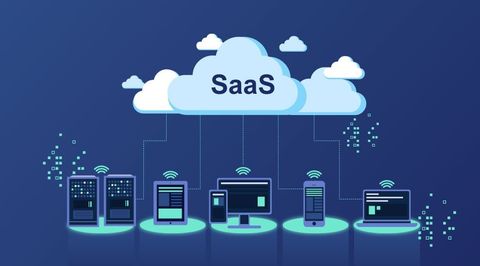
SaaS Integration Platforms Guide: Explore APIs, Automation, Data Flow, iPaaS & Application Connectivity
Modern organizations often use multiple software applications for communication, customer management, accounting, analytics, project management, marketing, human resources and other business functions. As the number of applications increases, connecting these systems becomes important for maintaining consistent information and efficient data movement.
SaaS integration platforms provide technologies and frameworks that help connect cloud-based applications and coordinate data between them. These platforms can use APIs, webhooks, connectors, workflow automation and integration protocols to move information between different software environments.
A major category within this space is iPaaS, or Integration Platform as a Service. iPaaS platforms provide cloud-based tools for designing, managing and monitoring integrations without requiring every connection to be developed entirely from scratch.
This guide explains SaaS integration platforms, their architecture, APIs, automation, data flow, iPaaS, application connectivity and important considerations when evaluating integration approaches.
What Are SaaS Integration Platforms?
A SaaS integration platform is a software environment designed to connect different cloud applications and facilitate the exchange of information between them.
For example, an organization might use separate applications for:
- Customer relationship management
- Accounting
- Email communication
- Human resources
- E-commerce
- Analytics
- Project management
- Customer support
An integration platform can establish connections between these applications so that relevant information can move between systems according to predefined workflows.
Instead of requiring every application to communicate directly with every other application, an integration layer can provide a centralized approach to connectivity.
Understanding SaaS Integration
SaaS, or Software as a Service, refers to software applications delivered over the internet rather than installed and maintained entirely on local infrastructure.
SaaS applications commonly expose APIs or other integration mechanisms that allow external systems to interact with them.
SaaS integration connects these applications so they can exchange data or trigger processes.
A simplified example might look like:
CRM → Integration Platform → Accounting Application
When information changes in one application, the integration platform can process that information and send an appropriate request to another application.
What Is iPaaS?
iPaaS stands for Integration Platform as a Service.
An iPaaS platform provides cloud-based infrastructure and tools for building, executing and monitoring integrations between applications, data sources and services.
Typical iPaaS capabilities can include:
- Application connectors
- API management
- Workflow design
- Data transformation
- Authentication
- Error handling
- Monitoring
- Logging
- Integration templates
- Scheduling
- Event processing
iPaaS can reduce the amount of custom integration infrastructure that organizations need to maintain themselves.
How SaaS Integration Platforms Work
A typical integration platform follows a sequence of steps.
1. Event or Data Trigger
An integration begins when a predefined event occurs.
Examples include:
- A new customer record
- An updated invoice
- A submitted form
- A new order
- A changed employee record
- A scheduled process
2. Data Retrieval
The integration platform retrieves information from the source application through an API, webhook or connector.
3. Data Transformation
The incoming information may need to be converted into a format that the destination application understands.
4. Validation
The platform can validate required fields and data formats before sending the information onward.
5. Destination Request
The processed information is sent to the destination application.
6. Response Handling
The platform can process the response and determine whether the workflow succeeded or requires further action.
7. Monitoring and Logging
Integration activity can be recorded so administrators can investigate errors and review workflow performance.
SaaS Integration Architecture
A basic architecture can contain several layers.
Application Layer
This includes the SaaS applications being connected.
Examples include:
- CRM systems
- ERP systems
- HR platforms
- Accounting applications
- Marketing tools
- Customer-support systems
Integration Layer
The integration platform sits between applications and manages communication.
It can handle:
- Authentication
- Routing
- Transformation
- Workflow execution
- Error handling
Data Layer
The data layer represents the information moving between applications.
Examples include:
- Customer records
- Product information
- Orders
- Invoices
- Employee information
- Support tickets
Monitoring Layer
Monitoring provides visibility into:
- Workflow execution
- API calls
- Errors
- Latency
- Integration status
- Data-processing activity
APIs in SaaS Integration
API, or Application Programming Interface, is one of the most important technologies used for connecting SaaS applications.
An API defines how one software system can communicate with another.
A typical API request can contain:
- Endpoint
- HTTP method
- Authentication information
- Headers
- Parameters
- Request body
The receiving application processes the request and returns a response.
Common HTTP Methods
SaaS APIs frequently use standard HTTP methods.
GET
Used to retrieve information.
POST
Commonly used to create a new resource or initiate an operation.
PUT
Often used to replace or update an existing resource.
PATCH
Used for partial updates.
DELETE
Used to remove a resource where supported.
The exact API behavior depends on the application's documentation.
REST APIs
REST, or Representational State Transfer, is a widely used architectural approach for web APIs.
REST APIs commonly exchange information using formats such as JSON.
A simplified example might involve:
GET /customers
The application can return structured customer information.
REST's widespread adoption makes it an important foundation for SaaS integrations.
GraphQL APIs
Some applications expose GraphQL instead of or alongside REST.
GraphQL allows clients to specify the data they need through queries.
This can be useful when applications have complex data structures or when clients need more precise control over returned fields.
Webhooks
Webhooks provide an event-driven approach to application integration.
Instead of continuously asking an application whether something changed, a system can send a notification when a specific event occurs.
For example:
New Order Created
       ↓
Webhook Trigger
       ↓
Integration Platform
       ↓
CRM Update
Webhooks can reduce unnecessary polling and enable faster event processing.
Connectors
Connectors are prebuilt components that simplify integration with commonly used applications.
A connector can provide standardized functionality for:
- Authentication
- API requests
- Data retrieval
- Data creation
- Updates
- Event triggers
Prebuilt connectors can reduce development effort compared with building every integration entirely from raw API calls.
Custom API Integrations
Not every SaaS application has a ready-made connector.
In these situations, integration platforms may support custom API connections.
A custom integration can involve:
- API documentation analysis
- Authentication configuration
- Endpoint selection
- Request construction
- Data mapping
- Response processing
- Error handling
- Testing
- Monitoring
This approach provides flexibility but can require more technical knowledge.
Data Flow in SaaS Integrations
Data flow describes how information moves between connected applications.
A basic data flow can look like:
Source Application
        ↓
API / Webhook
        ↓
Integration Platform
        ↓
Transformation
        ↓
Validation
        ↓
Destination Application
More complex workflows can include multiple branches and destinations.
For example:
E-commerce Platform
        ↓
Integration Layer
   ↙         ↓         ↘
CRM       Inventory    Analytics
Data Transformation
Different applications often represent the same information differently.
For example, one application might use:
first_name
last_name
while another uses:
full_name
An integration platform can transform and map these fields.
Other transformation tasks may include:
- Date conversion
- Currency formatting
- Field renaming
- Text normalization
- Data filtering
- Combining fields
- Splitting fields
- Conditional transformations
Data Mapping
Data mapping establishes relationships between fields in source and destination systems.
For example:
| Source Field | Destination Field |
|---|---|
| Customer Name | Contact Name |
| Email Address | |
| Phone | Mobile Number |
| Company | Organization |
| Customer ID | External ID |
Accurate mapping helps prevent incomplete or incorrectly structured records.
Synchronous vs Asynchronous Integrations
SaaS integrations can operate synchronously or asynchronously.
Synchronous Integration
The requesting system waits for a response.
Example:
Application A → Request → Application B
Application A ← Response ← Application B
This approach can be useful when an immediate response is required.
Asynchronous Integration
The source system can continue processing while the integration handles the operation separately.
Example:
Application A
     ↓
Event Queue
     ↓
Integration Platform
     ↓
Application B
Asynchronous processing can be useful for high-volume or event-driven workflows.
Batch Integration
Batch integration processes groups of records at scheduled intervals.
For example:
1000 Records
     ↓
Scheduled Job
     ↓
Transformation
     ↓
Destination System
Batch processing can be useful when real-time synchronization is unnecessary.
Real-Time Integration
Real-time or near-real-time integrations process events as they occur.
Examples include:
- New order notifications
- Customer record updates
- Payment status changes
- Support ticket synchronization
The exact processing speed depends on the applications, APIs, network and integration architecture.
Automation in SaaS Integration
Automation is one of the major reasons organizations adopt integration platforms.
A workflow can automatically perform multiple actions after a trigger.
For example:
New Customer
     ↓
Create CRM Record
     ↓
Update Marketing Platform
     ↓
Create Support Profile
     ↓
Send Internal Notification
This type of workflow can coordinate processes across multiple applications.
Workflow Automation
Workflow automation involves defining a sequence of actions that occur when certain conditions are met.
A workflow might contain:
- Trigger
- Action
- Condition
- Transformation
- Branch
- Delay
- Notification
- Error-handling step
Visual workflow builders can allow these elements to be configured without manually writing every integration component.
Conditional Logic
Integration workflows often need to make decisions.
For example:
New Customer
     ↓
Country = India?
   ↙       ↘
 Yes        No
 ↓           ↓
CRM A      CRM B
Conditional logic allows workflows to route information according to predefined rules.
Scheduled Automation
Not every integration needs event-driven processing.
Scheduled workflows can run:
- Hourly
- Daily
- Weekly
- Monthly
- At predefined times
Scheduled integration can be useful for reporting, data synchronization and periodic processing.
Error Handling
Integration workflows can encounter errors for many reasons.
Examples include:
- Invalid authentication
- API downtime
- Incorrect data
- Missing fields
- Rate limits
- Network problems
- Invalid endpoints
- Permission issues
A robust integration platform should provide mechanisms for detecting and handling these situations.
Retry Mechanisms
Temporary failures can sometimes be resolved through automatic retries.
A retry policy can define:
- Number of attempts
- Delay between attempts
- Conditions for retry
- Maximum execution duration
However, retries should be designed carefully to avoid creating duplicate transactions.
Idempotency
Idempotency is an important concept in integration architecture.
An idempotent operation can be repeated without unintentionally producing multiple identical outcomes.
For example, if an API request to create a record is accidentally repeated, an idempotency mechanism can help prevent duplicate records where the application supports it.
API Rate Limits
SaaS applications frequently limit the number of API requests that can be made within a specific period.
Rate limits help applications manage resource consumption.
Integration platforms can help manage rate limits through techniques such as:
- Request throttling
- Queuing
- Scheduling
- Batching
- Retry delays
Understanding each application's API limits is important when designing high-volume integrations.
Authentication
SaaS integrations require authentication so that applications can determine which systems or users are allowed to access information.
Common authentication methods include:
API Keys
An API key is a credential associated with an application or account.
OAuth
OAuth enables delegated authorization without requiring applications to directly handle the user's primary credentials.
OAuth 2.0 is widely used by SaaS platforms.
Basic Authentication
Some APIs use username-and-password-based authentication, although modern integrations often use more secure mechanisms.
Service Accounts
Enterprise applications may use dedicated service accounts for automated integrations.
Integration Security
Security is an important part of SaaS integration architecture.
Key considerations include:
- Encryption
- Authentication
- Authorization
- Credential management
- Access control
- Audit logs
- Network security
- Data minimization
Sensitive credentials should not be embedded directly into workflow steps or source code when secure credential-management mechanisms are available.
Encryption
Data can be protected both while moving between systems and while stored.
Encryption in Transit
TLS/HTTPS is commonly used to protect API communication across networks.
Encryption at Rest
Data stored by an integration platform may be encrypted depending on the platform's architecture and security controls.
API Access Control
Organizations should follow the principle of least privilege.
This means an integration should receive only the permissions required to perform its intended functions.
For example, a workflow that only needs to read customer records should not necessarily receive permission to delete them.
SaaS Integration Patterns
Several integration patterns are frequently used.
Point-to-Point Integration
Two applications communicate directly.
Application A ↔ Application B
This can be straightforward for a small number of systems.
Hub-and-Spoke Integration
A centralized integration platform connects multiple applications.
       CRM
        ↕
App ↔ Integration ↔ ERP
        ↕
    Analytics
This can simplify centralized management.
Event-Driven Integration
Applications communicate through events.
Event → Message → Consumer
This approach can support responsive and scalable workflows.
Publish and Subscribe
A source publishes an event while multiple subscribers consume it.
This can allow several applications to respond to the same business event.
SaaS Integration Use Cases
SaaS integration platforms can support many types of workflows.
CRM Integration
Customer information can be synchronized between CRM and other systems.
Possible connections include:
- CRM ↔ Marketing
- CRM ↔ Support
- CRM ↔ Accounting
- CRM ↔ Analytics
E-Commerce Integration
An online commerce platform can connect with:
- Inventory
- Accounting
- Shipping
- CRM
- Analytics
HR Integration
Human-resource applications can connect employee data with:
- Payroll
- Identity management
- Benefits platforms
- IT systems
Finance Integration
Financial applications can exchange information with:
- ERP systems
- Banking platforms
- Invoicing applications
- Expense-management tools
Marketing Integration
Marketing applications can connect:
- Lead-generation tools
- CRM
- Email platforms
- Analytics
- Advertising systems
Enterprise Application Connectivity
Large organizations often operate hundreds of applications.
As application counts increase, integration complexity can grow rapidly.
An integration platform can provide centralized capabilities for:
- Connection management
- Workflow governance
- Monitoring
- API access
- Data transformation
- Security policies
This can be particularly useful where different business departments use different software ecosystems.
SaaS-to-SaaS Integration
SaaS-to-SaaS integration connects cloud applications directly through an integration layer.
Example:
CRM
 ↓
Integration Platform
 ↓
Marketing Platform
This can eliminate repetitive manual data transfer.
SaaS-to-On-Premises Integration
Some organizations use both cloud applications and on-premises systems.
An integration platform can connect:
Cloud Application
       ↓
Integration Layer
       ↓
On-Premises System
This type of hybrid integration may require additional network connectivity, security controls and gateway components.
API-Led Integration
API-led integration organizes application connectivity around reusable APIs.
A common conceptual structure includes:
- System APIs
- Process APIs
- Experience APIs
This approach can encourage reuse and separation of responsibilities across integration architecture.
Integration Monitoring
Monitoring allows administrators to understand whether integrations are operating correctly.
Useful monitoring information can include:
- Successful executions
- Failed executions
- API response times
- Workflow duration
- Error messages
- Request volume
- Retry activity
Integration Logging
Logs can provide a record of integration activity.
A useful logging strategy can capture:
- Timestamp
- Workflow identifier
- Source
- Destination
- Execution status
- Error category
- Correlation identifier
Care should be taken not to expose sensitive information unnecessarily in logs.
Integration Testing
Testing is essential before deploying production workflows.
Common testing stages include:
Unit Testing
Individual workflow components are tested separately.
Integration Testing
The complete interaction between systems is evaluated.
Data Validation
Records are checked to ensure that transformations and mappings produce the expected results.
Failure Testing
Potential failures are deliberately tested to evaluate retry and error-handling behavior.
SaaS Integration Scalability
Integration architecture should consider future application and data growth.
Important scalability considerations include:
- API request volume
- Number of workflows
- Concurrent executions
- Data size
- Processing speed
- Queue capacity
- Rate limits
An architecture that works for a few hundred records may require significant changes when processing millions of records.
Integration Governance
Governance establishes standards for how integrations are created and maintained.
A governance framework can define:
- Naming conventions
- API standards
- Authentication practices
- Data ownership
- Documentation
- Access controls
- Monitoring requirements
- Change-management procedures
Integration Documentation
Good documentation makes integrations easier to maintain.
Documentation can include:
- System diagrams
- API references
- Authentication requirements
- Data mappings
- Workflow descriptions
- Error-handling procedures
- Dependencies
- Contact information for system owners
SaaS Integration Platform Evaluation
When evaluating an integration platform, organizations can examine several categories.
Application Connectivity
Consider how many applications have supported connectors and whether custom APIs can be integrated.
Workflow Capabilities
Evaluate:
- Conditional logic
- Branching
- Scheduling
- Event triggers
- Data transformation
API Support
Check whether the platform supports REST, GraphQL, webhooks and other relevant integration methods.
Monitoring
Review available dashboards, logs and alerting features.
Security
Evaluate authentication, encryption, access control and credential management.
Scalability
Consider whether the platform can accommodate future data and application growth.
Governance
Enterprise environments may require role-based access, audit capabilities and centralized administration.
SaaS Integration Platforms vs Custom Development
| Factor | Integration Platform | Custom Development |
|---|---|---|
| Initial development | Often faster | Can require more development |
| Connectors | Frequently available | Usually built manually |
| Flexibility | Depends on platform | High |
| Maintenance | Platform handles some infrastructure | Organization maintains implementation |
| Custom logic | Supported to varying degrees | Highly customizable |
| Monitoring | Often built in | Must be implemented |
| Scalability | Depends on platform architecture | Controlled by development architecture |
Neither approach is universally appropriate. The choice depends on application requirements, technical resources, complexity and long-term architecture.
Benefits of SaaS Integration Platforms
SaaS integration platforms can provide several potential benefits.
Centralized Connectivity
Multiple applications can be managed through a common integration layer.
Reduced Repetitive Development
Prebuilt connectors can reduce the need to create common integrations from scratch.
Workflow Automation
Repeated data-transfer processes can be automated.
Improved Data Consistency
Synchronization can reduce discrepancies between connected applications when workflows are designed correctly.
Monitoring
Centralized monitoring can make it easier to identify integration failures.
Faster Integration Development
Visual tools and templates can accelerate certain integration projects.
Limitations and Challenges
SaaS integration is not without challenges.
Integration Complexity
Large workflows can become difficult to understand and maintain.
API Dependencies
Changes to an application's API can affect integrations.
Rate Limits
High-volume workflows may encounter API restrictions.
Data Quality
Incorrect source data can propagate through connected systems.
Security
Credentials and data require appropriate protection.
Vendor Dependency
Organizations may become dependent on a particular integration platform's connectors, features and pricing structure.
Future Trends in SaaS Integration
The integration landscape continues to evolve alongside cloud computing, AI and distributed applications.
AI-Assisted Integration
AI-based tools may assist with:
- Workflow generation
- Data mapping
- Error analysis
- Documentation
- API discovery
API Management
As organizations expose more APIs, API lifecycle management is becoming increasingly important.
Event-Driven Architectures
Event-based architectures can support faster and more loosely coupled application communication.
Low-Code Integration
Visual integration environments can allow teams to build workflows with less traditional programming.
Data Integration and Analytics
Integration platforms are increasingly connected with data warehouses, analytics tools and business-intelligence environments.
Hybrid Integration
Organizations are expected to continue combining SaaS, cloud and on-premises applications.
Key Considerations Before Implementing SaaS Integration
Before creating an integration workflow, it is useful to establish:
- Which systems need to communicate?
- What data needs to move?
- How frequently should it move?
- Which system is the source of truth?
- What authentication method is required?
- What transformations are needed?
- What happens if the destination system is unavailable?
- How will duplicate records be prevented?
- How will failures be monitored?
- Who will maintain the integration?
Answering these questions can help establish a clearer integration architecture.
Frequently Asked Questions
What is a SaaS integration platform?
A SaaS integration platform is a software environment that connects cloud applications and facilitates data exchange and automated workflows between them.
What does iPaaS mean?
iPaaS stands for Integration Platform as a Service. It provides cloud-based tools for developing, operating and monitoring integrations between applications and data sources.
Why are APIs important for SaaS integration?
APIs provide structured methods for applications to communicate, retrieve data and perform actions across software systems.
What is the difference between an API and an integration platform?
An API is an interface exposed by an application, while an integration platform provides tools and infrastructure for connecting multiple applications and managing workflows.
What is a webhook?
A webhook is an event-driven mechanism through which one application sends information to another when a specified event occurs.
What is data mapping?
Data mapping defines how fields from one application correspond to fields in another application.
Can SaaS integration platforms connect on-premises applications?
Many integration platforms support hybrid connectivity, allowing cloud applications to communicate with on-premises systems through appropriate connectors or gateways.
What is the role of automation in SaaS integration?
Automation allows predefined actions to occur automatically when triggers, conditions or schedules are met.
What is an integration connector?
A connector is a prebuilt component that provides standardized methods for communicating with a particular application or service.
Are SaaS integration platforms suitable for large organizations?
They can be suitable for enterprise environments when the platform provides appropriate scalability, security, governance, monitoring and application connectivity.
Conclusion
SaaS integration platforms provide an important layer for connecting the growing number of cloud applications used by modern organizations. Through APIs, webhooks, connectors, data transformation and workflow automation, these platforms can coordinate information between otherwise separate software environments.
iPaaS extends this concept by providing cloud-based infrastructure for designing, executing and monitoring integrations. Depending on the architecture, an integration platform can support real-time events, scheduled synchronization, batch processing, SaaS-to-SaaS connectivity and hybrid connections between cloud and on-premises systems.
The most effective integration architecture depends on the applications involved, data requirements, API capabilities, security considerations, scalability needs and organizational governance. Careful planning around data mapping, authentication, error handling, rate limits, monitoring and system ownership can help create more reliable integrations.
As SaaS ecosystems continue to expand, integration platforms are likely to remain an important component of enterprise technology architecture, particularly as organizations adopt more APIs, automation, AI-enabled workflows and cloud-based applications.
Disclaimer: This article is provided for general informational and educational purposes. It does not endorse or recommend any specific SaaS integration platform, vendor or technology. Platform capabilities, APIs, pricing, connectors and technical specifications can change over time, so organizations should consult current official documentation when evaluating or implementing an integration solution.

Lavit
Our content is designed to attract, persuade, and convert your audience. We help brands grow through strategic, audience-first writing.
August 26, 2026 . 8 min read
Related Post...
Distribution Management Software Guide: Explore Features, Inventory, Orders, Logistics & Key Insights
By: Lavit
Updated: September 16, 2026
Read More
Complete Manufacturing Software Guide: Explore Production Planning, Inventory, Quality & Automation
By: Lavit
Updated: September 08, 2026
Read More
Complete AI Framework Guide: Explore Development, Architecture, Libraries & Applications
By: Lavit
Updated: September 07, 2026
Read More